
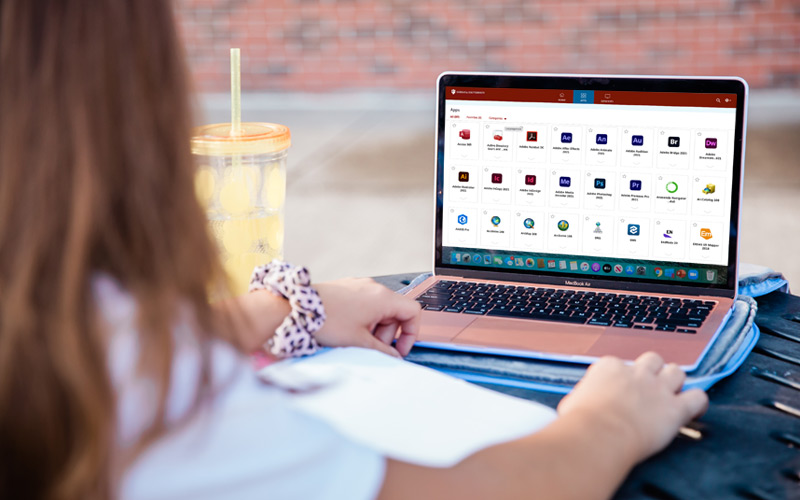
IUanyWare is a service available to all staff, faculty, and students at IU. No matter where you are or what device you’re using, you can stream the IU-licensed apps and software you need — without having to install or download each one or use a VPN. This is particularly useful to give all students equal access to technologies needed in a class since some may not have computers powerful enough to run the software package or they are unable to install the software.
Run IU-licensed software from any device
Citrix Workspace for all IUanyWare users on March 16
On March 16, 2026, all IUanyWare users will be directed to the Citrix Workspace after login. You may notice changes to the login experience and the appearance of your apps and desktops, but functionality remains the same.
Technical support
If you need technical help, please contact your local local UITS support person or your campus Support Center. Phone, email, and chat support is available 24/7.
How to use IUanyWare
Anyone at IU can use IUanyWare after some initial setup. It’s powered by Citrix Workspace app. Set up and use IUanyWare for Windows, macOS, iPhone, iPad, iPod touch, Android devices, and Chrome OS devices.
Saving your files
When using IUanyWare, it’s recommended you use cloud storage so that you can save any work you do remotely. For students, researchers, and anyone saving non-institutional files (like personal photos or a project document), you can use Google at IU My Drive and Microsoft OneDrive at IU.
Software requests
To request software to be made available in IUanyWare, first be sure you have licensing and media available. Check out the KB article that talks about requesting software for the STCs and IUanyWare.
Find the help you need
Have technology questions? We're here to help.

